Showing posts with label smartphone. Show all posts
Showing posts with label smartphone. Show all posts
Tuesday, March 7, 2017
How to use iTunes with your Android smartphone easily
How to use iTunes with your Android smartphone easily
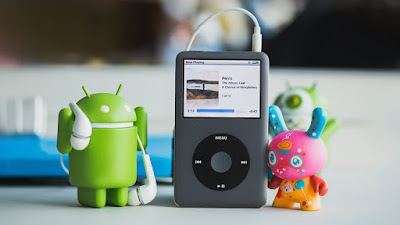

Transfer iTunes to Android using Google Play Music
Google Play Music provides cloud storage for up to 50,000 songs, accessible from both your desktop and your phone, and, best of all, its compatible with iTunes. To sync the two systems, youll need to download Google Music Manager (or Google Play Music for Chrome) onto your computer and the Google Play Music app to your phone.
Open the program, and log in with your Google account. Select the location of the music you want to upload (in this case, iTunes) and Google Music Manager will start to upload the music files contained within.
The desktop version will automatically sync with the Google Play Music app on your phone – open it, tap My Library and youll see your music starting to appear. Uploading large music collections can take a while, but as you dont have to physically connect your phone to your computer, you can go about your day while Music Manager does its work.
Transfer iTunes to Android with iSyncr
There are various dedicated apps for transferring your iTunes music to your Android phone in the Play Store. We tested several and found that iSyncr was the simplest and most efficient.
To start, download the iSyncr app from the Play Store to your phone (check below for the link), and the desktop app to your PC. Connect your device to your computer with a USB cable, then open the iSyncr desktop app.
It should automatically open a window asking which files you want to sync with your device. Tick the box next to iTunes and then click Synchronise. iSyncr will then transfer your iTunes files to your phone.
When the process is finished, click End. Youll then be able to play the files using your chosen music player, although the makers of iSyncr recommend their own Rocket Player app. Its also possible to transfer iTunes files over Wi-Fi with iSyncr, as long as your phone and computer are connected to the internet via the same network.

Transfer iTunes to Android via USB
If you dont want to rely on a third-party app to use iTunes with your Android phone, then you can manually transfer the files to your device.This method is simple and efficient, but, as above, is limited by the available storage on your device or its mircoSD card.
Connect your phone to your PC with a USB cable. Open Windows Explorer, and locate the iTunes folder on your computer.
Drag and drop it into your devices music folder to copy the files onto your phone. The music will be visible in your chosen music player app once the transfer is complete.

Use Apple Music for Android
Apple usually doesnt make apps for Android. But in an effort to keep iTunes customers who wisely made the switch to Android, Apple made the Apple Music for Android app. It has its flaws but its the official way to listen to your iTunes music on Android.
Because it is an Apple service you need an Apple ID to use it. You should already have one since you already have iTunes music. Make sure you retrieve your account if you cant find the information and consider contacting customer service if you are still unable to access it.
The iTunes app gives you the same features as iTunes with recommendations for you from a 30 million song catalog. You can keep all of the playlists you made when you used iOS and transferring is fairly simple. The app is buggy though and even after updates there are still problems reported. You can download the app below.
Apple Music
What do you think is the best way to use iTunes with your Android phone? Tell us about it in the
comments.
Available link for download

Sunday, March 5, 2017
XIAOMI WOULD PAY ITS CUSTOMERS TO SMOTHER A BUSINESS OF SMARTPHONE EXPLOSIONS!
XIAOMI WOULD PAY ITS CUSTOMERS TO SMOTHER A BUSINESS OF SMARTPHONE EXPLOSIONS!
A Chinese site has just revealed that Xiaomi would pay its customers to smother cases of explosions of smartphones. The firm would offer compensation in the event of an explosion of a model in exchange for the signing of confidentiality clauses that engage users to disclose nothing to the press or on social networks.

This is the Chinese site Tech.qq which tells the story hard to believe. Let us not make generalizations of this situation since this is a single story. Tech.qq tells that a client of Xiaomi recovered his smartphone completely exploded after having loaded it on December 21st.
After having remounted the problem to Xiaomi, the brand therefore proposed to him to send back his smartphone to be able to investigate this concern and to receive a very beautiful brand new. And to top it all, Xiaomi proposed 600 yuan to the customer is 80 euros in compensation.
But contrary to what one might think, it is not a commercial gesture. In fact, in order to get those 80 euros of compensation, the customer had to sign a confidentiality clause. He then undertook not to disclose this story to the press nor to disseminate it on social networks. No mention of an exploding Xiaomi smartphone should be made by the customer.
It is unclear if this story has affected other clients, but there are several indications that this is true. First, the Xiaomi process seems to be rampant: the company already has a confidentiality clause at hand in the event of an explosion. Kind of weird.
Then, several sources have revealed some time ago that Xiaomi had to deal with several cases of explosions on various smartphones. The elements placed end to end would thus coincide perfectly. Especially that the fiasco of the Galaxy Note 7 certainly made the other manufacturers more vigilant.
Such a scandal at Xiaomi would have far more far-reaching repercussions than Samsung, which has been a leader for years and therefore has enormous financial resources. Hence the maneuver to pass all this in silence. If this story is true, we can say that Samsung managed rather well managed the crisis finally. At least, with honesty and transparency.
Available link for download
Friday, March 3, 2017
HOW TO LOAD A NEW SMARTPHONE THE FIRST TIME
HOW TO LOAD A NEW SMARTPHONE THE FIRST TIME
Sometimes its hard to know what is the right way to do it when it comes to charging a brand new smartphone for the first time. The editor explains how to proceed.

He was young, he was beautiful, he smelled good hot sand. His virtue and glory have captivated audiences. You will never forget the first time you contemplated it, fascinated by its style, its forms and the intensity of its discourse.
But once you get out of the box, youre in doubt: how should I charge my brand new smartphone for the first time to make sure it does not deteriorate and start this relationship on a good basis? This tutorial will look at this issue.
The batteries of our smartphones indeed attract all kinds of urban legends . Empty it completely? Recharge it, fully off? Do cycles of 0 to 100 every month for a certain period? Confusion is in order.
Calibrate the battery
In fact, if our parents often advise us to discharge fully and recharge our electronic devices each use, it is a reflex inherited the nickel batteries that do not relate at all our lithiums-ions.
For a first charge, it is best to properly calibrate the battery. For this, we recommend to use the phone normally to the out of the box then recharge the battery when it reached the 5% battery so as not to damage the battery.
In fact, lithium-ions do not like to be completely flat. It is better to avoid seeing the phone turn off when you use it. And hop, full charge to 100%! However, the fact that the phone is switched on or off has no effect.
In the early days, we advise repeating this cycle a dozen times just for the battery, intelligent, knows estimate its real capacity and provides its consumer based. Subsequently, repeating this cycle once and there is a plus, on a much wider frequency.
Charging your smartphone
Good habits for later use your smartphone are nothing but just the opposite than what the older try to teach you: expect to completely empty his phone before recharging degrades actually a lithium-ion battery.
For daily use, it is better to recharge your phone regularly and leave between 40 and 80% battery in your day. Thus, to maximize longevity and independence , we advise getting used to load in the afternoon and leave phone resting quietly at night.
By adopting this reflex, you keep your phone much easier in this pleasant slice and also avoids to launch it plugging all night. Although this does not necessarily affect the modern appliances that used to stop the charging process once the 100% achieved, can never be too cautious.
Available link for download
Wednesday, February 15, 2017
iPhone 8 will become the most popular smartphone in the history
iPhone 8 will become the most popular smartphone in the history
A locomotive called the iPhone continues to rush forward despite some signs of slowing down. But before to discuss the upcoming sale of Apple’s smartphone, there is more detail on the sales patterns of previous generations.

Today, increasingly, we hear from the market observers predictions about the “natural” decline in sales as the iPhone “already reached its peak and grow nowhere else”. At first glance, this is common sense, but statistics show that the upcoming iPhone refresh cycle associated with the release of the iPhone 8, it may be the largest in Apple’s history. Thus, we can confidently expect that the coming year will break all records of sales of the iPhone.
Nomura analysts, after studying the database of active users iPhone, got some interesting results. In particular, this year will see a wave of upgrade among owners of iPhone 6 and iPhone 6 Plus. Sales of these models in the holiday quarter of 2014 set a record 75 million units shipped. Evaluating the results of the future iPhone 8 you should consider this fact.
“We view the launch of the iPhone user base to 8, which is 45-50% higher than that was during the release of the iPhone 6. Therefore, the forecast 83-86 sold 8 million iPhone in the fourth quarter of 2017 seems the most realistic.
The increase in subscriber base has spurred sales of the iPhone 6. We believe that the smartphone has expanded the owners of iOS devices by about 35%, later models – 5-10%. Anyone who now uses an iPhone 6 as your main device is a candidate to purchase the iPhone at the end of 2017,” the analysts write.
Given that most users change smartphones every two years, Apple will be faced with the fact that millions of owners of iPhone 6 and iPhone 6 Plus will want to update their device.
However, the iPhone 6 is just the tip of the iceberg. If you add iPhone 5s, iPhone 5c, iPhone 4s and iPhone 4, we get 300-400 million users, which is likely to decide to move to a new model as soon as iPhone 8 will appear on store shelves.

While we have become accustomed to impressive launches of Apple, never before have so many people didn’t use “Apple” smartphones that will allow iPhone sample 2017 to reach unprecedented heights.
In addition, some analysts forget that iOS stronger “hold” of the user than Android. In other words, iPhone owners when upgrade is likely to choose a smartphone from the same manufacturer – at least, more likely than owners of Android phones. Therefore, most owners of the iPhone 6 and older devices updated to iPhone 8 this year.
As for the expected iPhone 8 new features, today we know that the unit will receive a radical new design, glass case, display in the entire front panel, 3 GB of RAM, a next-generation processor Apple A11, improved functionality and Touch ID, wireless charging and long-range.
Available link for download
Saturday, February 11, 2017
LG the flagship G6 will make users dream of the perfect smartphone
LG the flagship G6 will make users dream of the perfect smartphone
Flagship smartphone LG G6 will be released in a month, but LG is ready to share with the world details about the new product. On the website of YouTube videos called “wish List for the perfect smartphone”.

In the video, the company asks passers-by how they imagine a perfect phone. People list the main values for these settings: large display for multitasking, more compact body for comfortable one-handed operation, advanced photographic and video resources, water protection and reliability.
“Your wishes for the perfect smartphone come to life. Wait for the debut in February of 2017,” reads the video description. In other words, we are talking about the new flagship smartphone LG G6 and its features. Apparently, LG followed by Samsung and Apple will endow the new body with protection against water and dust.

According to preliminary information, LG G6 will be equipped with 8-core Snapdragon processor 835, a 5.3-inch screen with a resolution of 2560 × 1440 pixels and a protective glass with bends at the edges, double main camera, fingerprint scanner, wireless charging.
The official presentation of the LG G6 is expected in late February at the Mobile World Congress event.
Available link for download
Wednesday, February 8, 2017
THE LG G5 IS THE EASIEST SMARTPHONE TO BE REPAIRED IN 2016 BY IFIXIT
THE LG G5 IS THE EASIEST SMARTPHONE TO BE REPAIRED IN 2016 BY IFIXIT
Presented at the 2016 Mobile World Congress with a new concept of smartphone extensions, the LG G5 has not received much love throughout the year and has dug a huge hole in the Korean manufacturers finances. Today, iFixit has decided to renounce all this by offering the smartphone its most easily repairable smartphone of the year.

The Mobile World Congress 2016 has been the scene of strange events retrospectively: while Samsung has torn everything with its Galaxy S7 and S7 Edge, as will usually be said, others have risen to offer innovative offers .
The greatest exponent of this movement was none other than LG with its LG G5, a very good phone in itself but whose main interest lay in the various modules that could accommodate. Alas, this vision has not taken shape and the market has refused it in its present form.
It was thought that this one was one of the great failures of the year, but iFixit comes to put a little balm in the heart of those who love him despite his faults. Indeed, the latest Korean LG was awarded the honorary title of the easiest smartphone repair of 2016.
A title that is not without prestige, while most of the designs of our smartphones pass unibody making repairs at home difficult. Tribute to the brother-in-law who has destroyed his Honor 8 recently by trying to do things himself, the thoughts of the Phonandroid community accompany you.
Nevertheless, it will not change the current situation of the manufacturer, which has terribly accused the blow of failure of this LG G5 market. Fortunately, 2017 arrives and with this new year new devices. For sure, the LG G6 will this time skip the modular .
Available link for download
Sunday, January 29, 2017
ANDROID 7 STEPS TO FOLLOW BEFORE USING YOUR SMARTPHONE FOR THE FIRST TIME
ANDROID 7 STEPS TO FOLLOW BEFORE USING YOUR SMARTPHONE FOR THE FIRST TIME
You have just received your brand new Android smartphone. You are impatient, one understands it altogether. Nevertheless, it is strongly advised to follow a few small quick steps before you can fully use your Android smartphone. We give you 7 to start the adventure.

The next lines of this tutorial are for all newcomers. These 7 steps before using your new device will allow you to go to a good start with your Android smartphone .
Often we let ourselves be impatient and tend to rush to the object in order to discover all its golden abilities, this kind of behavior taking precedence over a minute of reflection can sometimes lead to problems, Are benign or not.
7 steps to follow before using your new Android smartphone
Unpacking

This will probably sound like obvious to many of you, however, many times people have realized afterwards that it was missing parts or their smartphone exhibited some abnormalities.
So make sure your new acquisition is in good condition, that everything is shiny, smooth, spotless. Also consider carefully the warranty notice and warranty conditions; about it, Sony has recently held to dot the "i" on the tightness of its Xperia Z5 .
It is important to keep informed as much as possible via specialized blogs (such as ours) on the news of brands of your terminals in order to keep a constant follow-up on the operation of your devices, their updates etc. .
Returning to our unpacking, usually the boxes contain a small tool to disassemble your smartphone, remember to keep it in the event of a change of SIM or battery. A micro-USB cable for charging and storing your data and headphones should also be included.
Download Data

Once everything is in order and that you have all the elements, you will have to put the smartphone in charge for the next few hours may fairly intense beings for its battery,interruption would not be welcome at this important stage . Put yourself on sector.
The second stage at this level is login if possible to a Wi-Fi network. Many data may be downloaded and you do not want to deplete your dataset, so we recommend that you connect to a local network.
First sign in to Google

As soon as your new phone is switched on, a small integrated tutorial should tell you the next steps. First, you must log into your Google account (create it if you do not already have one). You can skip this step, however, you will be greatly disadvantaged and do not enjoy the full experience Android, Google overseeing a large number of applications and manage all your connected devices.
Available link for download
Read more »
Subscribe to:
Posts (Atom)